
3 Ways SaaS Corporate Website are Built
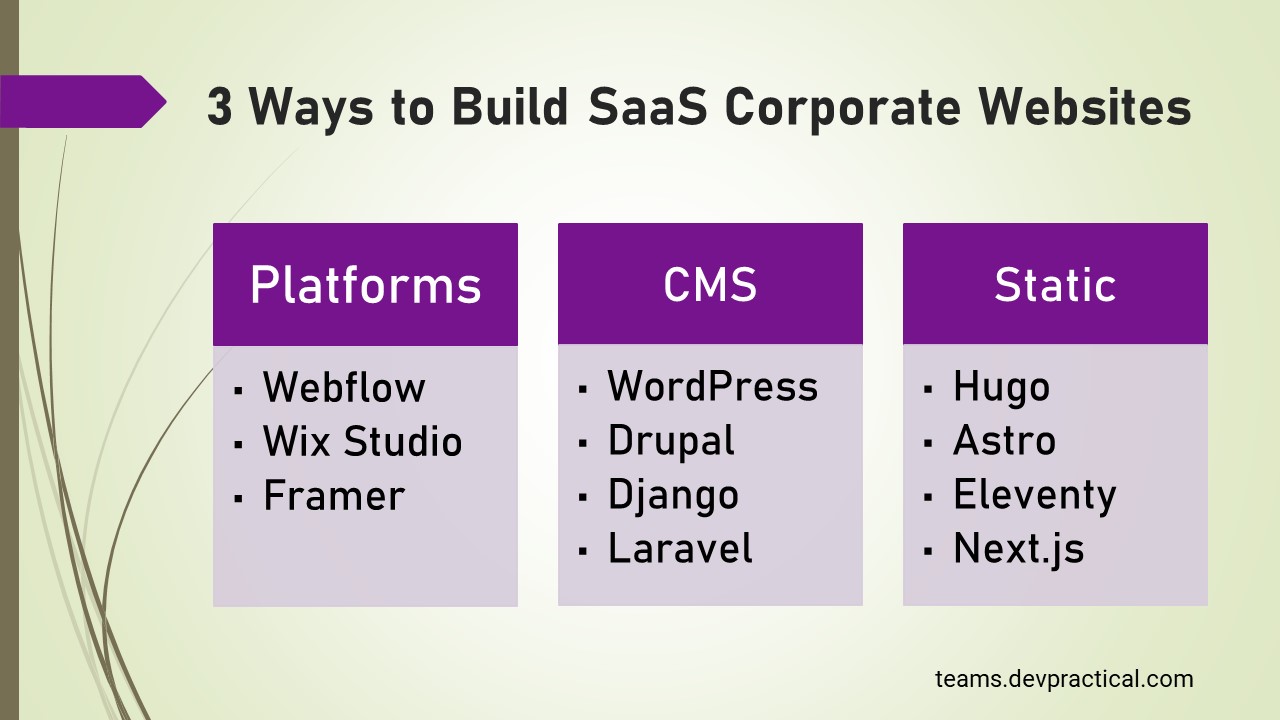
Choosing how to build your SaaS corporate website has a bigger impact than it may seem.
The technology behind it affects:
- how quickly you can launch the marketing website and campaigns
- how easily your team can make content and design changes
- how much control developers have
- how much maintenance the site requires
There are three common ways to build a SaaS marketing website:
- a website platform
- a CMS
- a static website
While they can all produce a professional website, they work very differently behind the scenes. Understanding those differences is important because the choice affects both how the website is built and how your team works with it after launch.
Let’s look at how each approach works in practice.
1. Website Platform
A website platform provides an integrated environment for designing, managing, hosting, and publishing a website. The defining characteristic is that much of the infrastructure is managed by the platform provider.
Common examples include: Webflow, Wix Studio, Framer, Squarespace and WordPress.com.
Architecture
A website platform brings the core infrastructure for building and running the website into one managed environment.
The platform provides the hosting, site management tools, content editor, and publishing system.
Developers use these tools to build and configure the website while marketing uses them to manage content and publish updates.
A typical architecture looks like:
Developers build the website → Website platform hosts and serves it → Visitors access the website
Marketing manages content → Website platform publishes updates → Visitors see the changes
The platform can also connect with external services for analytics, CRM, forms, experimentation, localization, and other marketing functions.
Many platforms also support dynamic content through structured collections. Marketing teams can manage this content in one place and reuse it across multiple pages. The platform then uses that content to populate and deliver the relevant pages on the website.
Development workflow
Development tends to be visual and iterative.
A designer or developer works inside the platform to create layouts, components, styles, animations, pages, and reusable structures. Depending on the platform, developers may also add custom code when the built-in capabilities are insufficient.
This can significantly reduce the amount of infrastructure engineering required to launch a website.
The trade-off is that the development workflow is partly constrained by the platform’s design system, APIs, hosting model, and supported capabilities.
Deployment
Deployment is usually handled by the platform.
The team does not necessarily need to configure its own web server, CDN, SSL certificates, build infrastructure, or deployment pipeline. The platform manages those components as part of its hosting service.
Some platforms also provide staging, publishing controls, roles, permissions, and collaboration features.
Marketing workflow
This is one of the strongest reasons SaaS companies choose website platforms.
Marketing teams can often create or modify pages without involving engineering for every change. Depending on the platform, they can also manage structured content, page metadata, redirects, forms, localization, and other website functions.
Common limitations
The main limitation is control.
A platform makes many decisions on behalf of the customer. Those decisions are convenient when they match the company’s requirements, but can become constraints when the website requires unusual functionality.
Potential limitations include:
- Dependence on the platform’s pricing and product roadmap
- Restrictions around custom infrastructure
- Platform-specific workflows
- Limits on certain integrations or advanced functionality
- Huge migration effort required if the company want to migrate elsewhere
- Costs that can increase as the organization, traffic, or feature requirements grow
A website platform can therefore reduce engineering work while increasing platform dependency.
2. Content Management Sytem(CMS)
A CMS-driven website separates content management from the website’s presentation and application infrastructure.
This category includes traditional systems such as WordPress and Drupal, as well as custom CMS implementations built specifically for an organization.
Examples include: WordPress, Drupal, Django, Laravel, Strapi, Custom CMS
Architecture
A traditional architecture might look like:
Marketing team → CMS → Web application → Hosting infrastructure → Visitor
This approach provides considerably more control over the technology stack.
The company can choose its frontend framework, hosting provider, database architecture, caching strategy, integrations, and deployment process.
The price of that control is additional responsibility.
Development workflow
The development workflow is typically more conventional.
Engineers work with source code, branches, pull requests, automated tests, CI/CD pipelines, environments, dependencies, and infrastructure.
This can be an advantage for engineering organizations that already have mature software development practices.
It can also make relatively simple website changes more dependent on developers, particularly when content and presentation are tightly coupled.
A well-designed CMS can reduce this problem by giving marketers structured content fields and appropriate publishing permissions.
Deployment
Deployment depends on the architecture.
A company might manage its own servers, use managed hosting, or deploy the frontend and CMS to separate providers.
This provides flexibility but introduces additional operational concerns, such as:
- Hosting
- Backups
- Updates
- Dependency management
- Caching
- Monitoring
- Security patches
- Database maintenance
- Deployment pipelines
The exact burden varies significantly between a managed CMS and a self-hosted open-source CMS.
Marketing workflow
A CMS can provide a strong content workflow, particularly for websites with substantial amounts of structured content.
For example, a SaaS company might create content types for:
- Blog posts
- Customer stories
- Authors
- Integrations
- Product features
- Resources
- Events
- Industry pages
The benefit is that marketers can manage the content independently from the underlying presentation.
The quality of that experience depends heavily on how the CMS is configured. A poorly designed CMS can give marketers flexibility without providing a coherent workflow. A well-designed CMS can make large-scale content operations much easier.
Common limitations
The major trade-off is operational complexity.
With an open-source or custom CMS, the company may be responsible for more of the system’s lifecycle.
Common challenges include:
- More infrastructure to manage
- Security and patching responsibilities
- Plugin or dependency conflicts
- More complicated deployments
- Greater engineering involvement
- Potentially higher initial development effort
- More decisions around hosting and architecture
There is also a subtle risk: teams can build a very sophisticated CMS because the technology makes it possible, even when the marketing team would have been equally productive with a simpler solution.
3. Static
A static website is generated from source code and content ahead of time rather than dynamically assembling every page from a database for every visitor.
Most modern static websites are often built using static site generators or frameworks such as Hugo, Astro, Eleventy Next.js, Nuxt.js etc.
The important distinction is architectural, not whether the site uses JavaScript.
A modern static site can still contain sophisticated interactions. The key difference is that the core pages can be generated ahead of the request and served efficiently through a CDN.
Architecture
A typical architecture looks like:
Developer/content source → Build process → HTML/CSS/JS/assets → CDN → Visitor
The content source can be local Markdown, JSON, a Git repository, or an external headless CMS.
A more sophisticated setup might therefore look like:
CMS → Build pipeline → Static frontend → CDN
This means “static” does not necessarily mean “no CMS.”
Development workflow
Development is usually code-first.
Engineers work in a repository and use familiar software development workflows:
- Git
- Branches
- Pull requests
- Code review
- Automated testing
- CI/CD
- Preview deployments
A developer can build highly customized components without being constrained by the visual model of a website platform.
This can be particularly attractive to SaaS companies with strong frontend engineering teams.
Deployment
A static site can be deployed to a CDN or modern hosting platform.
The build system generates the website, and the resulting files are distributed to visitors.
This architecture can reduce the number of moving parts involved in serving a page because there may be no application server or database request required for the core page request.
However, once the site introduces server-side rendering, dynamic personalization, application logic, authenticated experiences, or other runtime features, the architecture can become more complex.
Marketing workflow
This is where static sites can vary considerably.
In a developer-centric setup, changing a headline may involve:
- Editing a file
- Creating a commit
- Opening a pull request
- Reviewing the change
- Deploying the site
That can be perfectly reasonable for a small engineering-led website but frustrating for a large marketing organization.
A Git-based CMS or a headless CMS can improve the workflow by allowing marketers to edit content while the frontend remains code-driven.
Common limitations
The main limitation is that static architecture tends to move more responsibility toward engineering.
Common challenges include:
- Content changes may require developer’s input unless a marketer-friendly editor is added to the website
- Build pipelines need to be maintained
- Dynamic functionality requires additional services
- Large sites can require careful build and deployment strategies
The benefit is that engineering gets lower infrastructure maintenance and substantial control over the frontend architecture.
Make Your Marketing Website Easier to Run
Simplify your high-maintenance marketing website into a faster and more stable setup.
Simplify Your Website